< This is in the middle of a re-write 2026-11-14 thermo>
As the name would imply, this memory address contains an integer that represents the current state of the game (such as being on the Main Menu, in-game, Options screen, etc)
Entering an arbitrary GameState
You can enter whatever state you want by hi-jacking the credits cheat! For PC:
- Poke the address
0x41AC66to contain the state # you wish to enter- by default, the address contains the state # for the credits screen, as of course this is intended to take you to the credits
- (we have long known putting 18 here takes you to the Level Select screen)
- Enter the credits cheat
- (on the main menu:
hold A, press C, Right, C, C, Down, Left, Up, Right, T)
- (on the main menu:
- The game will now transition to whatever state # you entered!
Testing unknown GameStates
Testing various state numbers (og PC), by hijacking the credits cheat as described above.
- 0 - appears to be a blank blue screen, with no way to exit?
- 7 - goes to a black screen and the game closes
- 10 - another blue screen dead-end
- 13 - “Choose Language” screen!! (with no options)
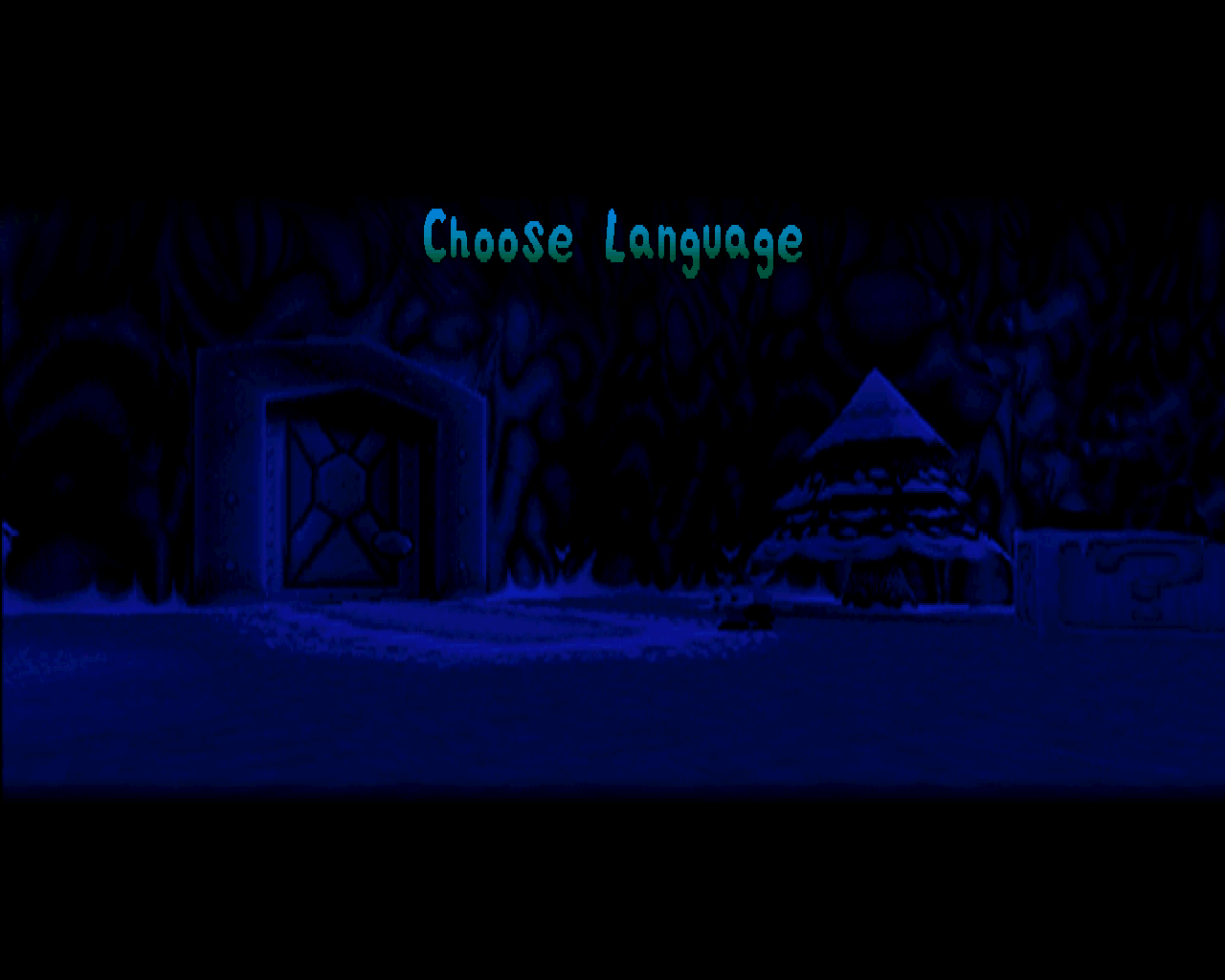
- 15 - another blue screen dead-end
- 17 - another blue screen dead-end
- 20 - fades to a blue screen, but then suddenly you enter the in-game state (11)!?
- 21 - another blue screen dead-end
- (haven’t tried going higher than 21)
Proper variable name
It seems the internal name is GameState, not MainState:
hdc0 — 2021-01-18 (Discord)
Some time ago MasterLeoBlue posted a PSX symbol file for a beta version of Croc 2. I just had a look at it. It gave use the names of almost all of the 323 engine functions that can be called by level scripts.
Only 3 or 4 camera related function names are missing. This file will be very helpful in decompiling the level scripts. It also gives us the correct names of some of the variables used by the autosplitter:
IsCheatMenuOpen → DebugMode
GobboCounter → ExtraCount
InGameState → GameOver
MainState → GameState
UsedBossWarps → IntrosTriggered
Table
Unfortunately, the values are scrambled between OG and HD.
Luckily, we know the variable names + corresponding HD values, because they are listed inside HD’s croc2.exe (hdc0 via discord)
OG value + description were added through observation by Thermospore
The mapping between HD and OG is somewhat guesswork, and could be inaccurate.
| Variable name | HD value | OG value | Description |
|---|---|---|---|
GS_NONE | 0 | ?? | < TEST ON HD! > |
GS_INIT | 1 | ?? | - OG: doesn’t appear to be a thing (maybe cos the argo bottle FMV is broken on modern PCs?) - HD: transition from GS_SPLASH → intro cutscene where the scientist is taken by dante |
GS_LANGUAGE | 2 | 13 | < TEST ON HD! > |
GS_TITLE | 3 | 16 | Main Menu |
GS_GAME | 4 | 11 | Includes both active gameplay and cutscenes |
GS_DEMO | 5 | 5 | Demos that run as an attract screen on the main menu |
GS_OPTIONS | 6 | 14 | < TEST ON HD! > Options (only on OG, and doesn’t include the Pause Menu) |
GS_INITIALS | 7 | 9 | - OG: New Game - entering initials - HD: < TEST ON HD! > |
GS_CHOOSELOAD | 8 | ?? | < prob the save slot select screen for either new or load game on OG > |
GS_CONTINUE | 9 | 3 | ”Continue? Yes / No” screen when you game over |
GS_INTRO | 10 | ?? | < what is this? maybe it’s that argo message in a bottle intro that’s broken on modern PCs? > |
GS_GAMEOVER | 11 | 12 | - OG: “Game Over” screen (when you run out of lives and select “No” in GS_CONTINUE, OR when you exit the game via the Pause Menu)- < TEST ON HD > not in HD; selecting “No” on GS_CONTINUE takes you straight to Main Menu |
GS_CREDITS | 12 | 4 | What it sounds like |
GS_NEXTLEVEL | 13 | ?? | < what is this? > |
GS_LEVELSELECT | 14 | 18 | - OG: This is the blue screen where you select a wad ID (only accessable through poking memory) - HD: < is this still in HD? see tcrf > |
GS_GO_TO_TITLE | 15 | 19 | Transition from the scientist intro cutscene → Main Menu |
GS_GO_TO_HUB4 | 16 | ?? | < CHECK THE VALUE FOR OG > After you beat dante, the transition from the credits back into Inca Hub |
GS_EXIT_SLIDESHOW | 17 | ?? | < is this 6 on OG, when you exit the game?? > |
GS_BONUS_CONTENT | 18 | ?? | - OG: presumably not a thing - HD: Croc2pedia |
GS_LOAD_SCREEN | 19 | ?? | < what is this?? OG save slot select?> |
GS_SPLASH | 20 | 8 | - OG: legal text right when you boot the game - HD: company logo vids right when you boot the game |
| NOTE: make sure to update mappings both here AND in the autosplitter (or better yet, make a system with one source of truth) |